Showing posts with label how-to. Show all posts

Monday, January 14, 2013

How to fix small cracks in the wall

We built our home over 5 years ago and now that it is starting to settle a bit, we are getting cracks in the walls.  In the beginning, the builder sent someone to fix the cracks, but within the year, they would come back which was a little frustrating.

I talked to the best handy person I know, my dad.  He told me that when the crack is very minor to just use some caulk.  Best advice ever because its been a few years and they are still gone!  Here is an example of a crack in my wall.  It looks pretty bad and scary (well, it did to me when I didn't know how to fix it).


All I did was gently sand down any raised pieces of paint so that it would be level.  This does not mean get rid of the texture if there are any.  Sometimes when the walls crack, the paint where the crack is is no longer level.  All I did was remove that.

I used DAP Alex Ultra 230 caulk to fill in the crack.  I applied a small amount along the line of the crack and used my fingers to force it in, removing any excess caulk. 


 After I covered the entire crack, I waited until it was dry and then applied a coat of paint to cover the caulk.


Voila!  The crack is no longer there.  A job that I thought would be scary to tackle was pretty easy peesy... so easy that even my hubby can do it.  ;)

Wednesday, June 2, 2010

How to Subscribe to a Blog

Some people have emailed asking how I subscribe to a blog so I thought I would post some instructions. Here is how I go about subscribing to the blogs that I want to keep up with. Excuse the hello kitty banner. Although, I work with computers all day, I made my husband set up my new laptop and he thought it was cute to have hello kitty at the top. What am I 10? I guess I am because I think its cute so I have left it (that and because I don't have time to research how to change it). Okay, back to the instructions...


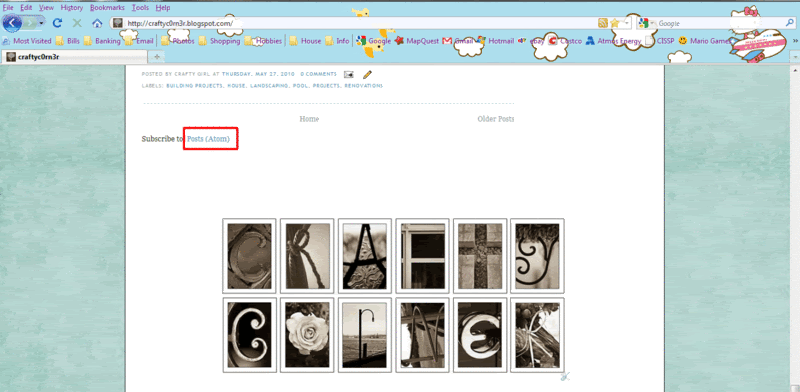
Scroll down to the bottom of the post and click POSTS (Atom).


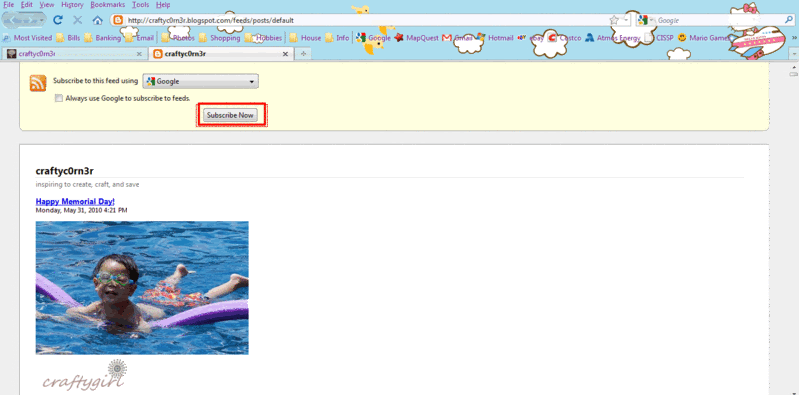
Next, choose the reader (place where you will access all the posts). I have a gmail account so I like to read using the Google reader. I can access all my blogs right from my email account.

After you choose your reader, select the Subscribe Now button.


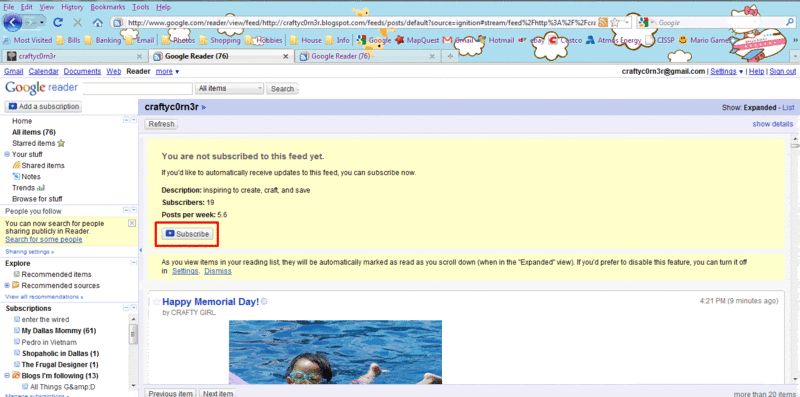
You should be directed to another screen confirming your subscription. Click the Subscribe button.


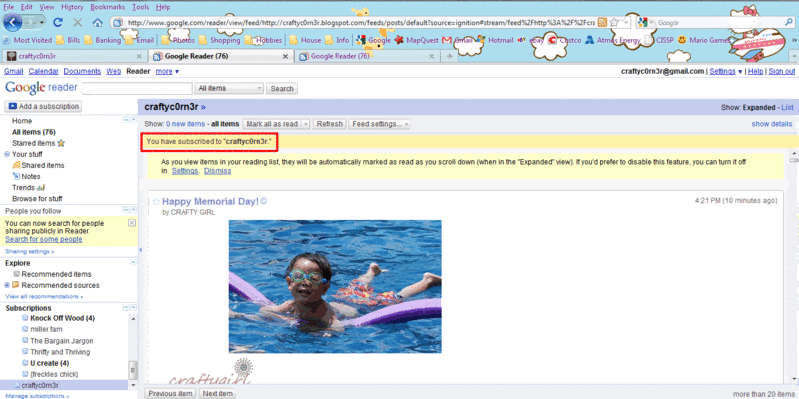
You are now subscribed and can read all your favorite blogs.


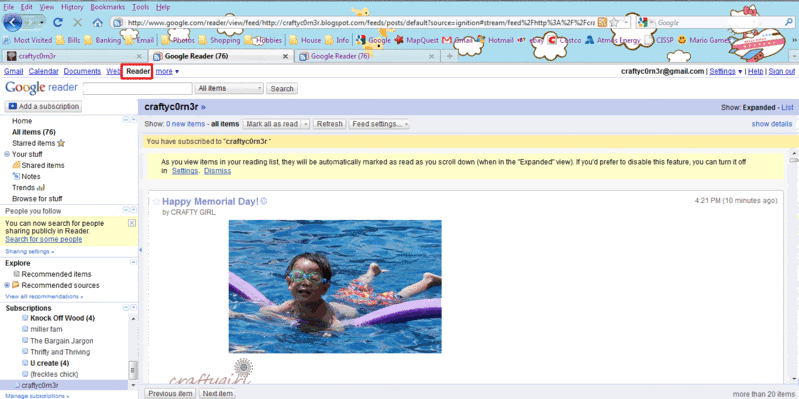
Here is the Reader tab that I press to access all the blogs I read.


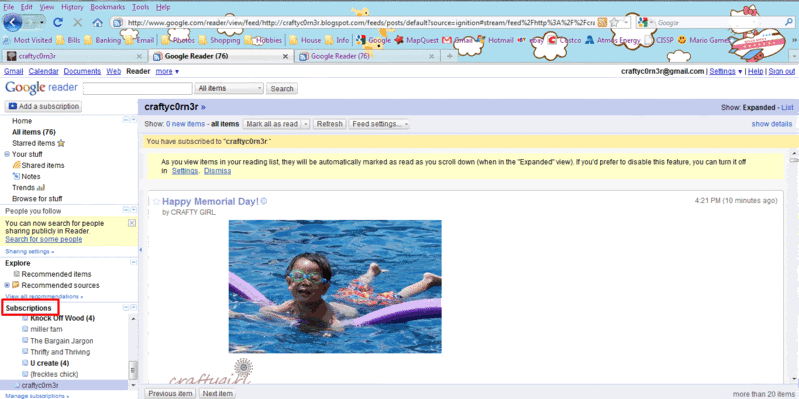
The left column under Subscriptions lists the blog postings that are unread, making it very easy to see what you have missed.

There you have it. Your favorite blogs right at your finger tips. The process of subscribing is easy peesy.

Related Posts with Thumbnails